Interface design
Point at a part. Say what you want.
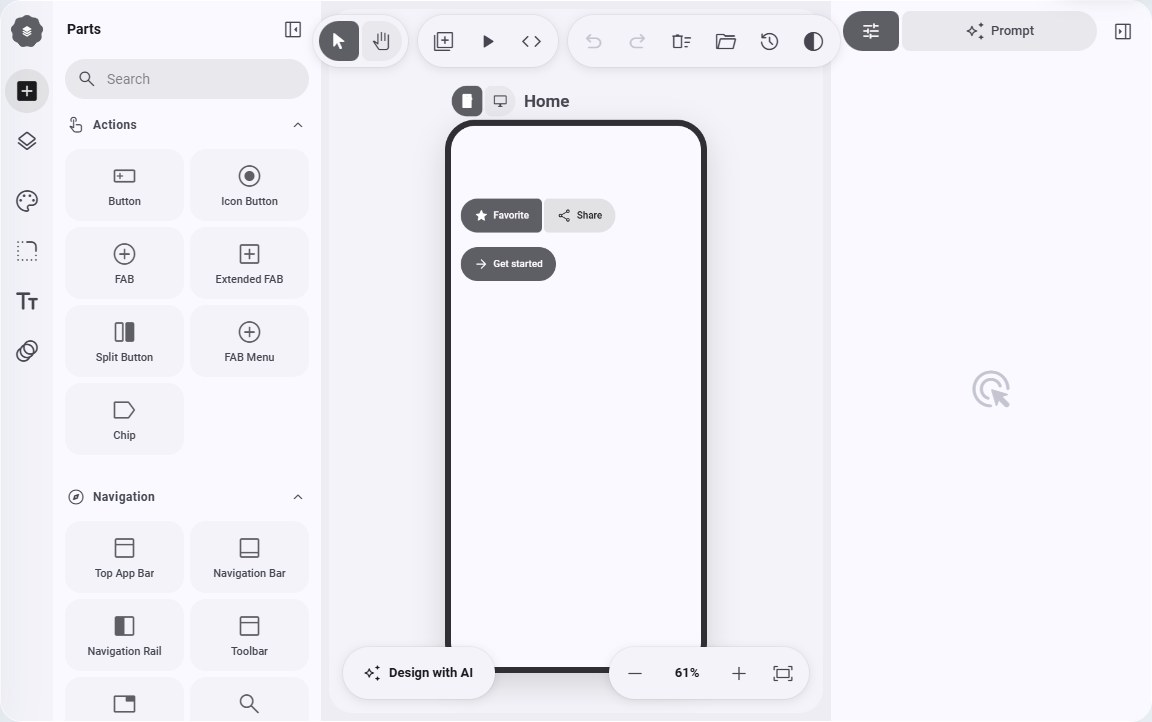
Interface design is a visual canvas for screens, built on the open-source M3E Canvas (MIT licence) and brought inside Noah. An engine reads and writes the design the way it works on your code.
With an engine
The design is something an engine can read and write.
Design with AI
Press it, then point at a part of the canvas the way the picker does, or at an empty place to add something. The engine changes that part and leaves the rest.
Hands for design
Three tools on the same door: read the design guide, read the document, and look at a picture. A screenshot or a hand drawing can become a design.
Export code
One press and the engine writes the design as a working web page, then opens it live in Noah's browser.
Named versions
Save versions and restore them. A design replaced by an accepted draft is saved on its own, so even an accepted change can be undone.
Without an engine
The details a designer checks, built in.
Shape and motion
Corner radius for each part, and motion such as pulse, float, spin and fade in, set with sliders.
Contrast and touch audit
Checks contrast to WCAG AA, 4.5 for text and 3 for large text and icons, and touch targets of 48 by 48.
Your fonts
Any font installed on the computer can be chosen for the design.
It stays
The design lives in Noah's own storage, so it is still there after you close the app.